Tuesday, February 19, 2019

Blog Post #6 Sensory Impairments


Tools for Students with sensory impairments.


This is a guide for teachers who can use different tools for students with sensory impairments.
Students who have a low vision impairment can use a simple tool called a pocket magnifier it allows students to magnify reading material to assist them in the reading process.  You can find these at a local Walmart for around six dollars.


Students who have hearing impairments can use a tool that all schools with students with disability should have in place called Automatic Speech Recognition. It allows to speaker to wear a headset microphone that is connected to a computer, the AST program recognize his/her voice and translate the spoken message into text that is displayed on to a screen monitor. This helps you as a teacher easily understand your children.


Dragon Medical Practice Edition 4 & PowerMic III

Tuesday, February 12, 2019

Blog Post #5 Teacher Apps

Choosing The Right App for your Students 

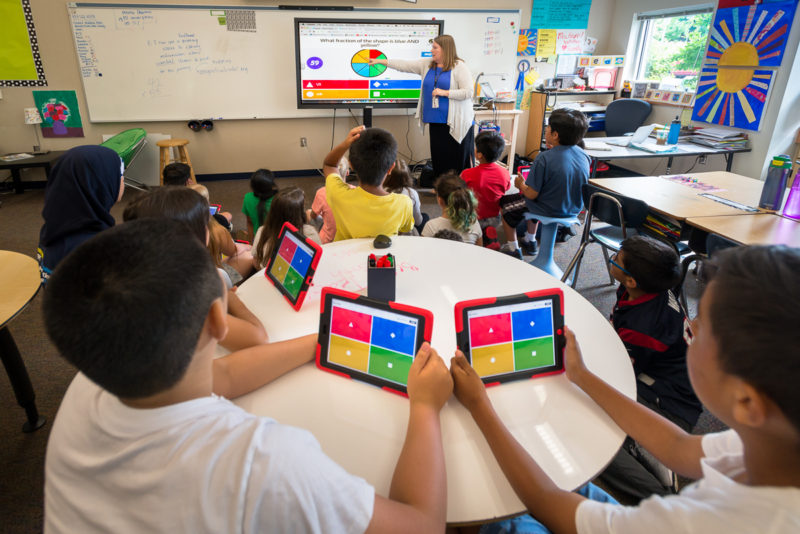
See the source imageWhen teachers are choosing an app for increased learning the app needs to align with the curriculum goals and standards of the school district. It also needs to target the content for the grade level and the learning outcomes for students with and without a disability.


7 steps to follow when choosing an app to use with your students


Identify learning Objectives

Focus of the grade level and what outcome you want your students to have with the app

Select Targeted Apps

Look at apps that other teachers may have used, read reviews and focus at topic at hand, you’re not going to pick a math app for reading.

Select Standards that align with the app

Make sure they are appropriate to state standards

Identify Limitations and Essential features   

Open the app and use ensure it will be open to all your students if not align to those students with disabilities

Choosing the App

Check out reviews and ensure the app does not have extra ads within the app as well.

See the source imageIdentify Learning needs for students with disabilities

Make sure it meets students IEP goals and allow for other options if the app is no combatable to your students

App Setup on an IPad or Computer

Ensure the app works on school provided technology


Reference

Article: Choosing IPad Apps with A purpose by Selma Powell 
Choosing iPad Apps With a
Purpose
Aligning Skills and Standards
Selma Powell
at COUNCIL FOR EXCEPTIONAL CHILDREN (CEC) on January 4, 2015
tcx.sagepub.com
Downloaded from
Choosing iPad Apps With a
Purpose
Aligning Skills and Standards
Selma Powell
at COUNCIL FOR EXCEPTIONAL CHILDREN (CEC) on January 4, 2015
tcx.sagepub.com
Downloaded from

Choosing iPad Apps With a
Purpose
Aligning Skills and Standards
Selma Powell
at COUNCIL FOR EXCEPTIONAL CHILDREN (CEC) on January 4, 2015
tcx.sagepub.com
Downloaded from
Choosing iPad Apps With a
Purpose
Aligning Skills and Standards
Selma Powell
at COUNCIL FOR EXCEPTIONAL CHILDREN (CEC) on January 4, 2015
tcx.sagepub.com
Downloaded from


Tuesday, February 5, 2019

Blog Post #4 UDL Lesson Plan

See the source image


UDL Lesson Plans


What makes the UDL lesson plan different?
 A UDL lesson plan is different than a normal lesson plan because it considers learner strengths and needs and preferences and brainstorms solutions from the start. While other lesson plans vary on accommodating all these aspects into the learning process.

How do you determine the lesson assessment?
 To determine lesson assessment, you can use teacher checklist/rubric to express how students are performing through oral/ written explanation, demonstration and drawing. Student can have learning barriers from academic, physical or sensory and social and emotional difficulties that prevent the learning process. Prepare for students with disability like a hearing impairment. You can add caption to the video being streamed to help adjust to that student. Plan for students who may be disruptive in the classrooms. By having a secondary choice of the assessment available to maintain classroom management. Another can be issue of back ground and having mini- lesson to help the lack of knowledge they are missing through pictures, symbols, and definitions that can be added to charts/word cards to help the student access what other students may already be ahead of.
See the source image
Resources for UDL Lesson Planning
Resources for UDL can be found across the board. There are CDs with digital text and some come in different languages. Some publishers now include leveled readings/texts on ideas for making extensions and remediating specific skills included in the text. Websites for interactive games and other inclusion can always be found at the click of a button.
This was a great video about UDL resources
https://www.bing.com/videos/search?q=resources+for+udl&&view=detail&mid=D8AAC61C78D70327F7EAD8AAC61C78D70327F7EA&&FORM=VRDGAR


Site I used for my information
http://mast.ecu.edu/modules/udl_elp/


Tuesday, January 22, 2019

Blog Assignment 2 UDL

Aspects of UDL!


When they develop goals using the principles of UDL, what is the main thing that teachers need to keep in mind?
Image result for udl
When developing goals for students in a classroom it is important to keep certain aspects of the student progress in mind. As a teacher we need to ask ourselves if the instruction is adequate for the students, and is the instruction meaningful, motivating and engaging for our students. A UDL (Universal Design for Learning) is the best route to take to ensure a wide range of students will be successful. The three basic principles of UDL are representation, action and expression and engagement.

Representation- presenting information of all course content in multiple formats and easy access
Image result for representation

Action and Expression- allow students alternatives to express or demonstrate their learning  
Image result for action and expression

Engagement - stimulating students’ interest and motivation to learn in a variety of ways
Image result for engagement in classroom

If teachers keep this system within their teaching styles and lesson plans all students can succeed to new heights.


Imagine that you are a second-grade teacher beginning a unit on plants. You wish to make certain that you address the three principles of UDL. Describe the instructional methods you would use to present the information, assess your students, and maintain their engagement in the subject.


To ensure all three principles are met I would divide my instruction into each principle, so I know it is being met.

Representation-
I would write a lesson plan ensuring all aspects of the lesson will be met.
First introduce a question to see what the students already know about the subject on their own.
I would add in a chart that will be completed by the end of the day, week, month however long the lesson may go, of what the students know, what they have learned, and what they will take away from the lesson so the students can see their progress along the way of the lesson which also allows me as a teacher to asses the progress made.
Then I will begin to introduce the lesson of what are plants, why are they important, where can we find them, when do we see them, who is involved in them as a career choice and how they impact everyday life. I will ensure if I have students with an IEP (individualized education plan) their style of the work is met and guarantee that students can access the information in different ways besides one lesson of lecture or activity.

Image result for kwl
Action and Expression-
I would allow students to do an activity where they are learning off each other but also expressing their own work on the subject. Weather it be a group interactive activity or self-work of drawing or take-home project. Something where they can show me that they are understanding the information correctly and still creating something on their own. For students who need extra help or guidance I will recommend extra alternatives and help to meet their needs as a student and ensure their success.

Engagement-
Making any lesson interesting is hard on a teacher because every student is different. Throughout my lesson I will include videos and pictures and extra activities to keep students attention and my final act of the lesson with engagement would be an in class project as a whole class of seeing different plants growing in different parts of the classroom. With a mini field trip outside to see plants in action.

I have finish off the lesson, I have assessed my students work to ensure retention of the information was met and made accommodations to those students who needed it. I have implanted each aspect of UDL in my lesson and my students successfully completed the lesson on plants.

I thought was a great video to include in my lesson plan for plants.
I got most of my information from http://iris.peabody.vanderbilt.edu/module/udl/
 Links to an external site.

Tuesday, January 15, 2019

Assitive Technology Blog 1

All things AT

What is Assistive Technology?

According to Individuals With Disabilities Education Improvement Act (IDEA) which makes up federal laws for education services. Describe Assistive Technology as two different forms. The two forms being assistive technology devices and assistive technology services. Assistive technology devices, is any item or product system that is used to improve the functional capabilities of a child who has a disability. While assistive technology services is any service that directly assists a child with a disability in the selection, acquisition or use of an assistive technology device. 

What are some examples of low, medium, and high tech devices?
Assistive Technology can range from very low to very high tech devices to help assist children with disabilities. 
Low
Some simple assistive devices can be pencil grips, sticky notes and covered overlays. 


See the source imageImage result for cover overlays for reading

Medium 
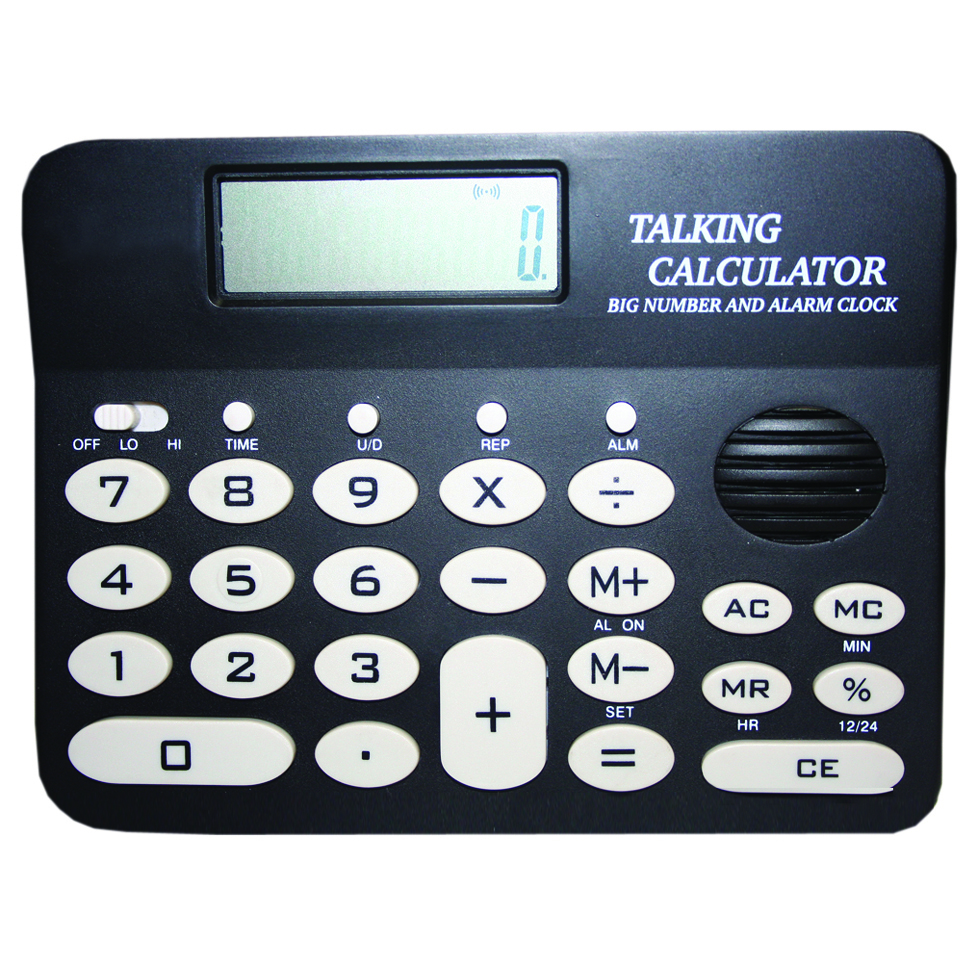
Some medium assistive devices are talking calculators, buzzers and electronic organizers.

See the source imageImage result for Buzzer Button
High Tech 
Some more advance device for assistive technology include Ereaders, computerized testing and touch screen devices, electronic wheelchairs.  
See the source image

What are some resources (for teachers or parents) on AT?
There are tons of resources and websites, books and programs for teachers and parents to get involved in to help with assistive technology devices and services.
See the source image